

Best Video Conferencing products
Video conferencing enables real-time communication visually and audibly across distances. We can assist in finding the best tools and platforms tailored to your specific needs and preferences.
Product
Pinch
Real-time language translation for video calls and webinars.Freemium
Rev
Accurate speech-to-text, captions, and transcription services available.
Freemium
Laxis
AI-powered tool for sales automation and meeting transcription.
Freemium
Skype
Free video calls, messaging, and augmented reality features.
Freemium
Bluedot
AI-powered Chrome extension for automated meeting note-taking.
Paid
Fluidworks
Human-like AI agent for personalized live video demos.
Freemium
Loom
Advanced screen recording and video sharing tool with editing.
Freemium
Yepic AI
AI video creation and dubbing with multilingual capabilities.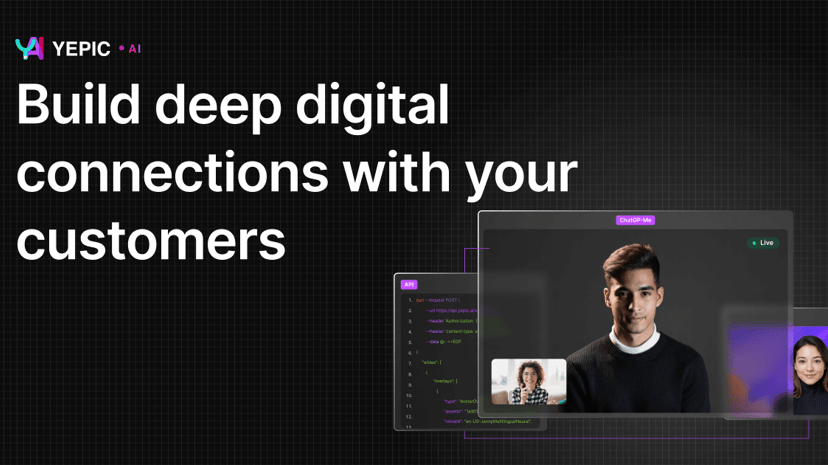
Freemium
Soundbite
Engaging video and audio messaging for effective frontline communication.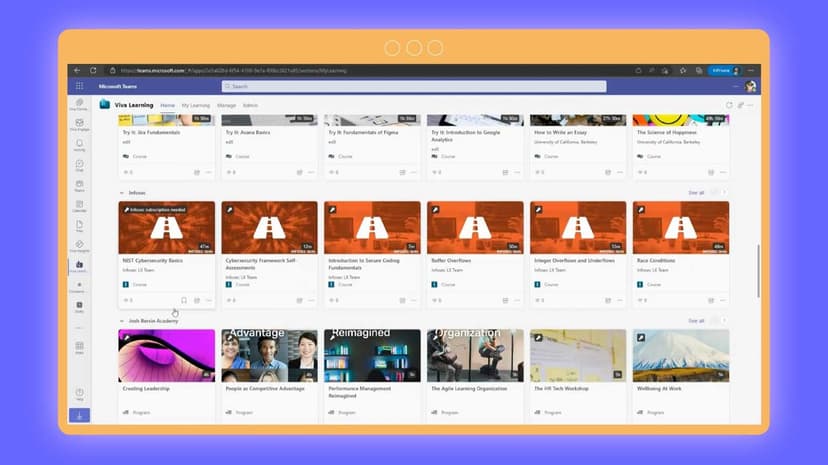
Freemium
YOUS
AI-based translator for audio/video calls and messaging.Paid
Salemaker
Personalized AI videos with branding, analytics, and integration features.
Freemium
CamSurf
Random video chat platform for meeting people globally.
Freemium
Zoom
Comprehensive collaboration tools: video meetings, chat, phone, webinars.
Freemium
Gemelo AI
AI platform for creating photorealistic talking avatars for engagement.
Freemium
tl;dv
AI meeting notetaker for recording, transcribing, and summarizing.
Freemium
Kollaborate
One-click online meetings with HD video and screen sharing.Freemium
Boom App
Enhance video calls with engaging overlays and personalized features.
Freemium
ManyCam
Live video software enhancing streams, calls, and presentations.
Freemium
Frameable Core
Next-level collaboration platform enhancing Microsoft Teams functionality.
Freemium
Live Captions
AI-based live captioning and interactive transcript services in multiple languages.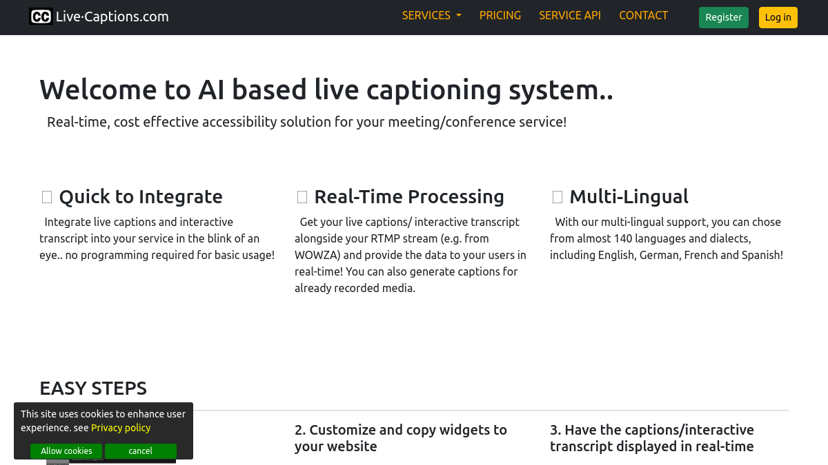
Product
Telestream
Comprehensive video transcoding, streaming, and workflow automation solutions.
Freemium
StreamingVideoProvider
Reliable video hosting and live streaming with monetization options.
Freemium
LiveKit
Build and scale voice and video applications with low latency.
Product
XSplit
Professional livestreaming and recording software with webcam enhancement tools.
Product
RAVATAR
Real-time interactive 3D AI avatars for enhanced digital interactions.
Paid
Gatherly
Host immersive virtual events for up to 10,000 guests.
Paid
ZoomScape
AI-generated Zoom backgrounds for unique personal expression.
Custom Pricing
Userful
Software-defined platform for enterprise AV-over-IP solutions.
Freemium
Telesqope
Personalized video messaging platform for sales engagement and conversions.
Freemium
Spot
Virtual office platform fostering collaboration, casual conversation, and productivity.
Video Conferencing: A Modern Communication Tool
In today's interconnected world, video conferencing has emerged as a pivotal tool for communication and collaboration. This technology, which allows individuals and groups to hold face-to-face meetings from virtually anywhere, has fundamentally altered how people interact in both personal and professional realms.
What is Video Conferencing?
Video conferencing enables real-time video and audio communication between two or more participants located in different geographic areas. By using a combination of computers or mobile devices, webcams, microphones, and internet connections, individuals can virtually meet, discuss, and collaborate as if they were in the same room.
Benefits of Video Conferencing
Enhances Communication
Video conferencing surpasses traditional voice calls by adding visual context to conversations. Seeing the facial expressions and body language of colleagues or clients can lead to more effective communication, reducing misunderstandings and fostering stronger relationships.
Saves Time and Resources
Frequent travel for meetings can be costly and time-consuming. Video conferencing allows for instant connectivity without the need for physical commuting, significantly reducing travel expenses and time commitments. This is especially beneficial for businesses operating in multiple locations.
Fosters Collaboration
Teams spread across various locations can often struggle with maintaining a sense of unity and collaboration. Video conferencing bridges these gaps, enabling team members to collaborate on projects, share documents, and brainstorm ideas in a real-time, interactive environment.
Supports Remote Work
The rise of remote work has highlighted the need for robust communication tools. Video conferencing ensures that remote employees remain connected, productive, and engaged with their teams. Regular virtual meetings and check-ins can help remote workers feel part of the company culture.
Common Features of Video Conferencing Tools
When selecting a video conferencing solution, several key features should be considered to ensure it meets the specific needs of its users:
High-Quality Video and Audio
The cornerstone of effective video conferencing is clear, high-definition video and audio. Look for solutions that offer reliable performance with minimal lag or disruptions.
Screen Sharing
The ability to share screens is indispensable for presentations, demonstrations, and collaborative work. This feature allows participants to view and discuss documents or applications in real-time.
Multi-Platform Availability
With diverse workplaces, compatibility across various devices and operating systems is crucial. Opt for video conferencing tools that offer seamless integration across desktops, laptops, tablets, and smartphones.
Recordings and Transcriptions
The option to record meetings can be invaluable for future reference, training purposes, or for participants who could not attend the live session. Some tools also provide transcription services, converting spoken content into text.
Security and Privacy
Data security is a paramount concern, especially for business communications. Ensure the video conferencing tool offers strong encryption, secure data transfer, and privacy controls to protect sensitive information.
Considerations When Choosing a Video Conferencing Tool
Selecting the right video conferencing tool depends on various factors:
User-Friendliness
A tool that is easy to use encourages adoption and reduces the learning curve for all participants. Intuitive interfaces and simple setup processes are key aspects to consider.
Scalability
Think about the future needs of the organization. A video conferencing tool should be able to scale according to the growing size of the team or the increasing number of meetings.
Cost
Budget constraints are a significant consideration. While many tools offer free versions with limited features, premium versions with expanded functionalities might be necessary for larger organizations.
Customer Support
Reliable customer support can help resolve technical issues quickly, ensuring that meetings run smoothly with minimal downtime. Evaluate the support options available, such as live chat, email support, or phone assistance.
In conclusion, video conferencing has become an essential tool for modern communication, driving productivity, collaboration, and connectivity. By understanding its benefits and evaluating key features, organizations and individuals can select a solution that best meets their communication needs.