

TeraCopy is a file transfer utility that enhances copying and moving files, while Direct Folders offers quick access to favorite directories for streamlined navigation.
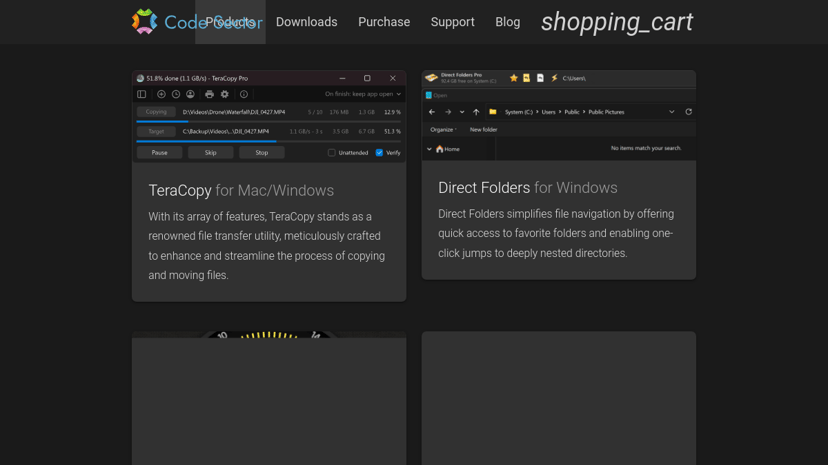
TeraCopy: Enhancing File Transfer Efficiency
TeraCopy by Code Sector is a file transfer utility designed to improve the process of copying and moving files on Windows. It is tailored for users who frequently deal with large amounts of data and require a reliable solution to minimize transfer times and ensure data integrity.
Key Features
One of TeraCopy's standout features is its ability to pause and resume file transfers, which is particularly useful when managing large files. The application verifies the integrity of files copied and provides error recovery options, ensuring that users can trust their data has been transferred without corruption. Additionally, the user interface is intuitive, allowing for easy navigation and quick access to essential functions. TeraCopy also integrates seamlessly with Windows Explorer, enabling users to utilize its functionality directly from the context menu.
Target Audience
TeraCopy is ideal for a diverse range of users, including professionals who manage extensive data, such as video editors, graphic designers, and IT specialists. Its straightforward approach appeals to anyone looking to optimize their file management tasks without unnecessary complexity.
Benefits of Using TeraCopy
The utility helps users save time by streamlining the copying process and reducing the likelihood of errors during file transfers. Its ability to provide detailed transfer logs allows users to monitor and analyze file movements effectively. By improving efficiency and providing a simple interface, TeraCopy makes managing files less tedious, leading to increased productivity.
Unique Selling Proposition
What sets TeraCopy apart is its focus on file integrity and transfer speed. Unlike standard file management tools, TeraCopy emphasizes reliability and user control. The option to pause and resume transfers as needed addresses interruptions in workflow, which can be common when handling large files.
Integrations
TeraCopy complements existing file management workflows by integrating with Windows Explorer. This integration allows for a smooth transition from traditional file operations to the enhanced capabilities of TeraCopy, making it a practical choice for users looking to improve their file transfer routines.
Overall, TeraCopy stands as a dependable ally for anyone needing efficient and trustworthy file transfer solutions.