

Yam Display allows users to extend their Mac's display to iPad or iPhone, enabling a seamless dual-screen experience via USB or wireless connections.
Yam Display: Enhance Your Workspace Efficiency
Yam Display is a versatile solution designed to extend your Mac's display capabilities using an iPad or iPhone. This product allows users to utilize additional devices as secondary monitors, making it easier to manage multitasking in a smooth and efficient manner.
Key Features
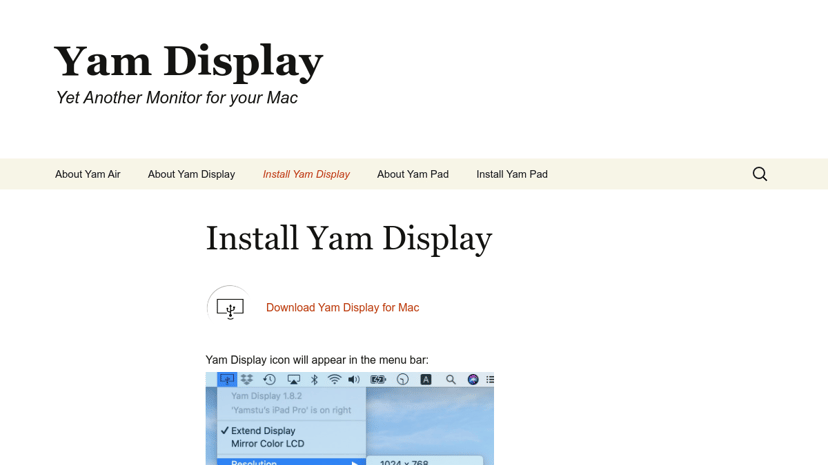
- Easy Setup: Simply install the Yam Display application on your Mac and your iOS device. Once set up, the Yam Display icon will appear in the menu bar, providing quick access and seamless connections.
- Flexible Connection Options: Players have the choice between a USB connection through Yam Display (USB) or a wireless connection via Yam Air. This flexibility caters to different user preferences and environments.
- High Compatibility: The software works well across various versions of macOS and iOS devices, ensuring wide accessibility for most users.
Target Audience
Yam Display appeals to a broad range of users, including remote workers, digital creators, students, and professionals who need to enhance their digital workspace. Whether organizing projects, editing videos, or simply browsing with multiple applications, Yam Display supports efficient workflow management.
Benefits of Yam Display
Integrating a secondary display can significantly boost productivity by allowing users to organize their tasks more effectively on larger screen real estate. This means less time spent flipping between applications and more focus on completing tasks. The capability to use an iPad or iPhone as a monitor adds convenience, especially for those who frequently switch between devices.
Unique Aspects
What sets Yam Display apart is its simplicity and practicality. It eliminates the need for bulky hardware setups typically associated with secondary monitors, making it an ideal solution for those with limited desk space or who prefer a minimalist approach. The smooth interaction and high-quality display contribute to a more enjoyable working experience.
Integrations
Yam Display easily integrates with existing macOS functionalities, enhancing features like Drag and Drop and exposing more screen space for multitasking without a complicated setup, making it a valuable addition to any productive workspace.