

Smart OCR
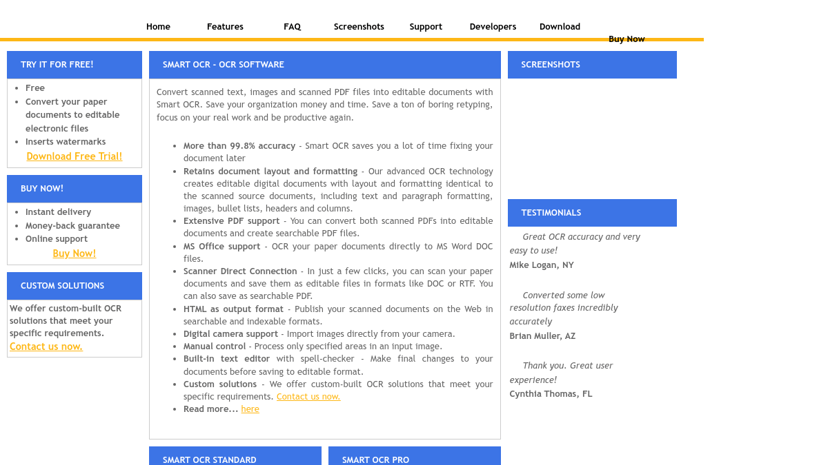
Smart OCR software converts scanned images and paper documents into editable and searchable formats, preserving layout and formatting while providing high accuracy and extensive output options.
Smart OCR Software: Enhancing Document Management
Smart OCR Software provides an efficient solution for converting scanned images and paper documents into editable and searchable digital formats. It harnesses advanced Optical Character Recognition (OCR) technology to accurately reproduce the layout, formatting, and content of original documents. This capability enhances productivity by significantly reducing the time spent retyping and formatting.
Key Features
-
Multiple Output Formats: Users can save documents in various formats, including PDF, Word DOC, HTML, RTF, and plain text, ensuring that documents are compatible with a range of applications and environments.
-
Enhanced Accuracy: With an impressive accuracy rate of 99.8%, Smart OCR reliably retains the integrity of the original document, including images, bullet lists, headers, and paragraph formatting.
-
Built-in Editing Tools: The software includes an editor with spell-check capabilities, allowing users to make final adjustments with ease, facilitating a smoother workflow from scanning to editing.
-
Batch Processing: The batch manager and watched folder functionality enable users to process multiple documents at once, streamlining operations for busy offices or projects.
-
Digital Camera Support: Users can import images directly from digital cameras, further increasing the flexibility in handling various document types.
Target Audience
Smart OCR Software is ideal for professionals, businesses, educational institutions, and anyone who regularly deals with paper documents. Its user-friendly interface caters to both tech-savvy individuals and those less familiar with digital tools.
Benefits
By digitizing paper documents, users free up valuable time that can be directed towards more critical tasks. The ability to search and edit documents quickly enhances information retrieval and sharing within teams. Smart OCR encourages better organization of files, reducing clutter and enhancing accessibility.
Unique Aspects
What sets Smart OCR apart is its focus on maintaining document fidelity and ease of use. Additionally, integration with popular document formats and thorough support for various scans—such as low-resolution faxes—demonstrates the software's versatility.
In summary, Smart OCR Software simplifies document management, empowering users to improve efficiency and focus on their business and personal goals with ease.