

Screen Studio
Screen Studio is a professional screen recorder for macOS that enables users to create engaging product demos, tutorials, and social media videos with automatic zoom, smooth mouse movements, and powerful effects.
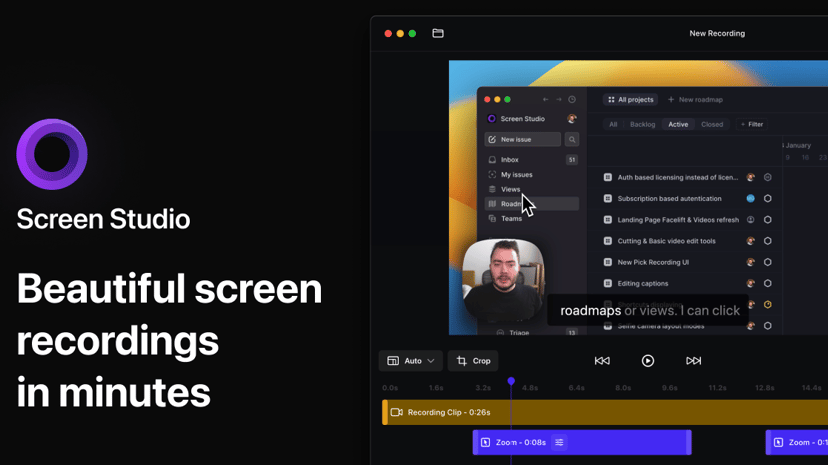
Screen Studio: A Professional Screen Recorder for macOS
Screen Studio is an intuitive screen recording tool designed specifically for macOS users, making it an ideal choice for creating engaging product demos, instructional courses, tutorials, and social media content. With its user-friendly interface, even those with minimal video editing experience can quickly capture high-quality recordings.
Key Features
One of the standout features of Screen Studio is its automatic zoom function, which focuses on mouse actions to enhance viewer engagement. Smooth mouse movements and customizable animations are built into the software to create a polished look without the need for extensive editing. Users can easily record their screens, including external devices like iPhones and iPads, simply by connecting them via USB.
The software allows for easy editing options, such as trimming, cutting, and speeding up footage. Users can export videos in high resolutions of up to 4K at 60fps, or as GIFs, giving versatility in how content is shared and utilized. It also supports the recording of keyboard shortcuts and system audio, enhancing the functionality for software demonstrations.
Target Audience
Screen Studio is tailored for professionals such as marketers, educators, designers, and developers who need to create precise and engaging visual content. Its simplicity makes it approachable for small teams, freelancers, and individuals looking to enhance their presentations or instructional materials.
Why Use Screen Studio?
Choosing Screen Studio can streamline the content creation process, significantly reducing the time it takes to produce high-quality screen recordings. The ability to hide desktop icons, customize device frames, and select specific parts of recordings means that videos can be tailored to match a brand’s identity and focus on essential content without distractions.
Unique Aspects
What sets Screen Studio apart is its emphasis on automatic settings that adjust for optimal viewing experiences, eliminating manual adjustments that can often be time-consuming. With a one-time purchase model, users gain access to all features without ongoing subscription fees, making it a cost-effective solution for long-term use.
Screen Studio not only simplifies screen recording but also empowers users to create professional-looking videos efficiently, aiding them in achieving their content and marketing goals.